Get started in about three minutes. Then it runs on its own.
Sign up, connect QuickBooks on Intuit's own page, and your files arrive. About three minutes in total.
Set up in three steps
Three steps, about three minutes. You need a QuickBooks Online login with access to the company you want to sync.
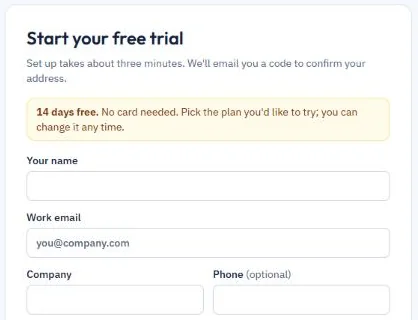
Start your free trial
Enter your name, work email and company, pick a plan, then type the code we email you. Your 14-day trial starts straight away, with no card needed.
Connect QuickBooks
Sign in on Intuit’s own page and click Connect. MorningSync only reads that one company and never sees your QuickBooks password.
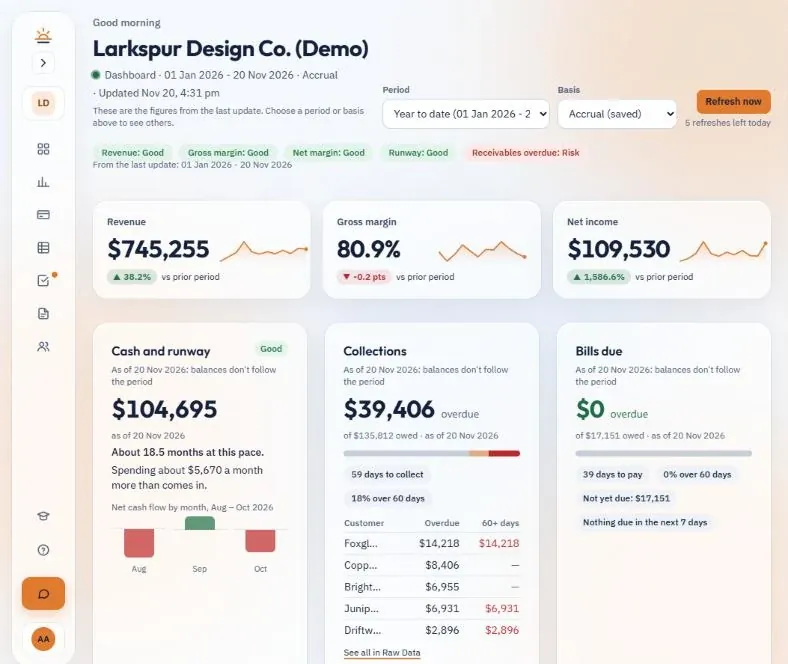
Open your files
What happens after you connect
MorningSync reads your QuickBooks Online data, works out your reports and key numbers, and writes your three workbooks to a private SharePoint folder shared only with you. After that, new data syncs on your schedule and the workbooks update on their own. Your own OneDrive is coming soon.
Check first: open the Management Report and compare the P&L total with QuickBooks for the same dates and basis. Then look around your client portal:
Sync status and Refresh now
Usage and credits
Plan, card and invoices
Team access
What you get: three Excel files
Everything you need for monthly reporting, reconciliations and client reviews, rebuilt on every sync. See the sample workbooks →
- Management Report: a finished month-end pack: Summary with the 8 key figures and charts, P&L, balance sheet, cash, who owes you and who you owe, sales and expenses
- Raw Data: P&L by month, balance sheet, trial balance, general ledger, transactions, customers, vendors and accounts as flat tables, for pivots and Power Query
- Metrics: a Scorecard of your key numbers with their status, ratios month by month, 14-month trends and top customers and vendors
Your dates and schedule
Ready-made periods
Up to 3 years back
Always up to today
Hourly
On the Plus plan, or with the hourly add-on on other plans. Good when the numbers move during the day.
Daily or weekly
Included on every plan. A daily sync means the numbers are fresh when you start work.
Refresh now
Need the latest numbers before a meeting? Press Refresh now in your portal. Every plan includes a few presses a day.
Built for financial data
Touches as little as possible. Locks down what it holds.
Questions before you start
Does MorningSync change my QuickBooks data?
No. MorningSync only reads your books. It never creates, edits or deletes anything in QuickBooks. Where your data is kept →
Can more than one person use the same company?
Yes. The billing owner adds people from Team under My account in your portal, as a Viewer or an Editor. Everyone you add sees the same company and workbooks. More →
Can I download my reports?
Yes. Open any workbook and download a copy from Excel, or open a report on the Reports page in your portal and export it to Excel, CSV or PDF. More →
Do I need Excel installed?
No. You can open your workbooks in Excel for the web from the link in your portal. If you have Excel on your computer, you can open them there too. More →
How often does it sync?
Daily or weekly on every plan, hourly on Plus or with the hourly add-on, and you can press Refresh now a few times a day. More →